TL;DR
In 2025, safe cloud backup means independent storage and full recovery control outside your platform. This is why teams are adding a dedicated backup layer with platforms like Cloudsfer.
Cloud platforms were supposed to make work simpler. And they did. Files became accessible from anywhere, collaboration became instant, and entire industries moved their most important data into the cloud.
But in 2025, the same platforms that power daily work have also become a single point of failure.
One wrong permission change. One infected sync client. One deleted project. One expired license.
For companies using Autodesk Construction Cloud and Egnyte, these moments are no longer rare edge cases. And they all lead to the same uncomfortable question:
Is built-in cloud protection actually enough anymore?
Why Cloud Environment Feels Safe, Until It’s Not?
Autodesk and Egnyte both include tools like version history, deleted items, activity logs, and permission controls. These features are extremely useful for day-to-day work. Someone overwrites a file, deletes the wrong folder, or needs to roll back a document, and recovery is quick.
But the problem starts when something bigger happens.
Ransomware doesn’t politely just affect one file. Accidental deletions can spread across thousands of folders in seconds. And in all of these scenarios, recovery still depends on the same system that just failed.
That’s the core issue: native recovery lives inside the production environment. When that environment is compromised, your ability to recover is compromised with it.
Explore more about Autodesk backup
The Reality for Autodesk and Egnyte Users in 2025
For Autodesk users, cloud data includes BIM models, RFIs, submittals, field documentation, and contract-related files. This is also legal evidence, financial protection, and project accountability. Losing access, even briefly, can delay entire construction sites and create real legal exposure.
Egnyte users face similar pressure, especially in AEC, life sciences, finance, and other regulated industries. They deal daily with audits, long-term retention requirements, and constant security threats. In these environments, data loss could have reputational consequences.
In both cases, the cloud is now business-critical infrastructure. And business-critical infrastructure requires real backup.
What “Safe Backup” Means Today?
In 2025, a true backup strategy means your data is stored outside Autodesk and Egnyte, runs automatically on a schedule, keeps versions intact, allows granular restore, enforces retention rules that your organization controls, and remains isolated from ransomware sync attacks.
Most importantly, it must continue to work even if your main cloud platform doesn’t. If your backup disappears when your system fails, you never really had a backup.
Where Cloudsfer Fits?
This is exactly the gap that independent backup platforms were built to fill.
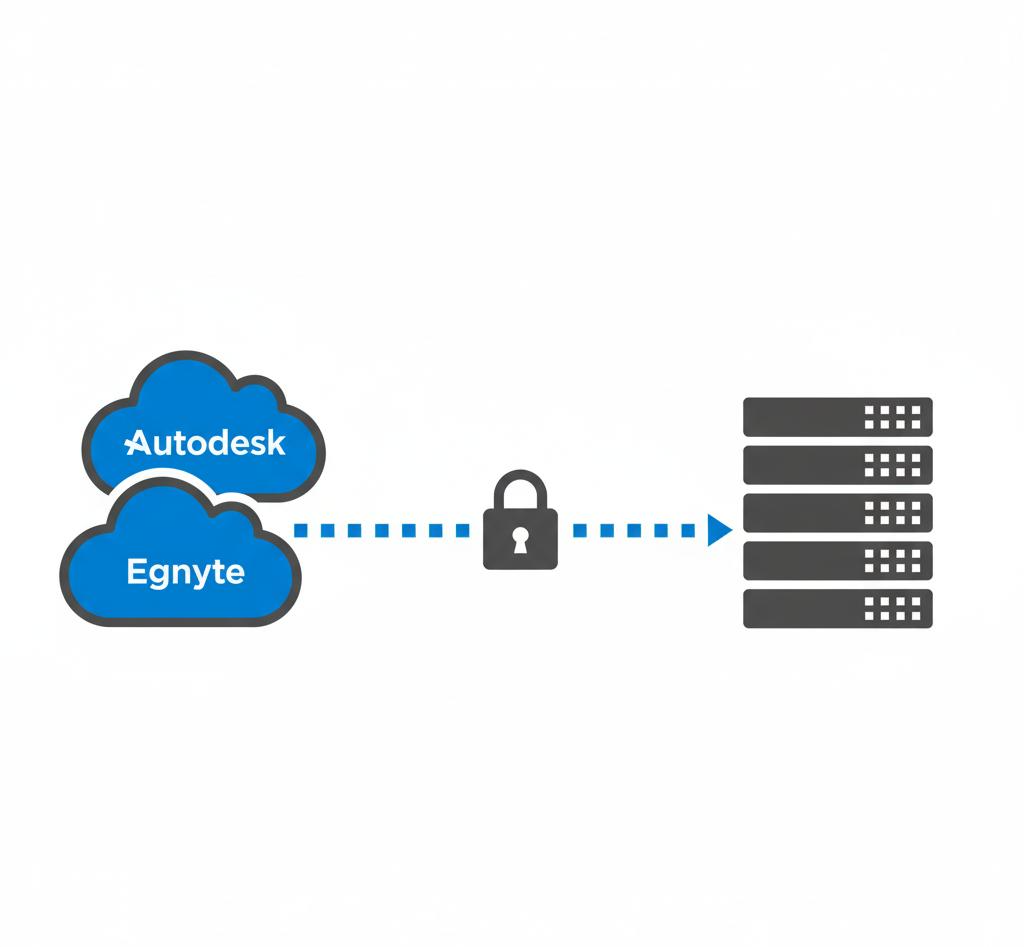
Cloudsfer acts as a secure, automated bridge between Autodesk or Egnyte and your own backup storage. Instead of locking your backups into another vendor environment, Cloudsfer allows organizations to back up their cloud data directly to storage they control, such as Amazon S3, S3 compatible, Azure Blob, etc
Backups run automatically, stay completely isolated from the production platform, and remain fully recoverable even during ransomware events, mass deletions, or access failures.
Cloudsfer adds the missing safety layer that makes reliance on those platforms secure.
Final Thought
Autodesk and Egnyte remain powerful platforms for collaboration, project delivery, and secure file sharing. But in 2025, great cloud platforms still need independent backup. Native protection helps you work, and independent backup is what helps you survive.
And understanding that difference is what separates a close call from a full operational shutdown.
FAQs:
1.Why is off-platform backup important?
Because if your backup lives inside the same system as your production data, both can fail at the same time. Off-platform backup ensures recovery even if your main cloud platform is compromised, unavailable, or restricted.
2. Can ransomware spread through cloud sync tools?
Yes. If ransomware encrypts files on a synced device, those encrypted files can be pushed into the cloud and overwrite clean versions.
3. Is version history the same as backup?
No. Version history helps with small mistakes, but it is not designed for large-scale recovery, ransomware incidents, legal retention, or cross-platform restores.
4. How does independent cloud backup work in simple terms?
With a platform like Cloudsfer, data is automatically copied from your cloud system into storage you control. If anything goes wrong, you restore from that external copy instead of relying on the original platform.
5. When is the right time to add an independent backup?
Before an incident happens. Most companies only take backup seriously after a ransomware attack, mass deletion, or access failure. By then, recovery is already more expensive and more painful.