TL;DR:
Retention policies and backup aren’t interchangeable. Learn how each supports a stronger cloud backup strategy, when businesses need both, and why independent backup plays a critical role in long-term data protection.
Retention policies and backup are easy to confuse. Both help protect data, and both play an important role in a broader data protection strategy. But they’re designed to solve different problems, and treating one as a replacement for the other can leave companies exposed when recovery is needed most.
Retention policies help keep data available according to platform rules. Backup helps ensure that data can be recovered when business depends on it.
Many businesses also overestimate their recovery readiness. Research shows only 40% of organizations are confident in their backup strategy, meaning most are either relying on tools not built for recovery, or haven’t tested whether what they have actually works.
In this article, we’ll explain the difference between retention policies and backup, when each should be used, and why many businesses rely on both as part of a stronger cloud backup strategy.
What Retention Policies Are Built For
Retention policies were designed to help businesses retain information according to predefined rules. They support compliance and short-term recovery by keeping data available within the capabilities of the platform.
For many day-to-day situations, retention works well. A file is accidentally deleted, a document needs to be restored, or information must be retained for a defined period, and these are exactly the scenarios retention policies are designed to support.
What retention policies were never intended to do is replace an independent backup strategy.
While retention helps preserve data within the platform, it’s still governed by that platform’s capabilities, retention rules, and recovery options. Companies with long-term recovery requirements or the need for independent recovery often complement retention with backup rather than relying on retention alone.
Where Backup Adds Another Layer
The difference between retention and backup becomes more apparent in situations where businesses need to recover data beyond the platform’s native capabilities.
- Accidental deletion discovered later
Data loss isn’t noticed immediately. A missing document may only come to light weeks or months later during project review or a compliance request. By then, native retention windows or recovery options may no longer be available. - Ransomware and data corruption
When files are encrypted or corrupted, recovery often depends on having an independent copy of the data created before the incident occurred. - Long-term business continuity
Companies may need to recover information well beyond standard retention periods or restore data independently of the production environment after a major incident. - Platform migrations and organizational changes
During mergers, acquisitions, or cloud migrations, an independent backup provides an additional layer of protection while data is moved, reorganized, or consolidated.
These are the situations where backup complements retention, not by replacing it, but by extending the organization’s recovery options.
Why Organizations Use Both
Retention and backup are complementary.
Retention focuses on preserving information within the platform according to its policies. Backup focuses on creating an independent, recoverable copy designed to support business continuity.
Together, they help organizations:
- Strengthen data protection across cloud environments
- Improve recovery readiness
- Reduce operational disruption
- Preserve business structure, metadata, and permissions (where relevant)
- Support long-term business continuity
The strongest data protection strategies recognize that both serve an important purpose.
How Cloudsfer Complements Native Retention
Cloudsfer is designed to complement the native retention capabilities already available across cloud platforms.
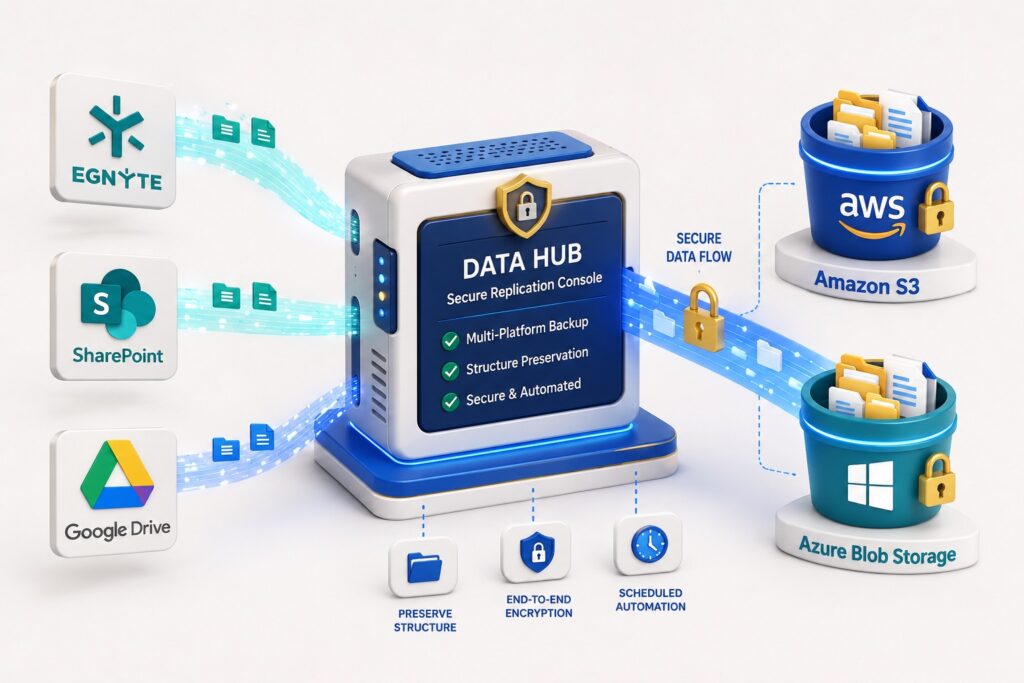
Companies can automate backups across Egnyte, Autodesk, SharePoint, Google Drive, and 20+ supported platforms while storing backup data directly in client-controlled destinations such as Amazon S3 and Azure Blob Storage.
Beyond creating backup copies, Cloudsfer preserves folder structures, permissions, and metadata (where relevant), helping businesses recover data with context.
After the initial backup, only new or modified data is transferred through incremental backups, helping keep backup operations efficient as data volumes grow.
📌 Request a free backup demo
Final Thoughts
Retention policies are an important part of data governance. Backup is an important part of data protection.
They’re designed for different purposes, and the strongest strategies recognize the value of both.
By combining retention with an independent backup strategy, companies are better prepared for recovery and long-term access to their data.