TL;DR:
A backup alone cannot be considered a complete data protection strategy. Businesses also need recovery planning, automation, customer-controlled storage, and data portability to ensure data can be restored quickly and completely. Read more…
A backup tells you where your data went. A data protection strategy tells you how to get it back fast, complete, and in a state your team can work from. Most businesses have the first one. Few have built the second.
As cloud adoption grows, data is spreading across more platforms, more teams, and more environments. And with that spread comes a harder question: when something doesn’t go according to plan- like ransomware, accidental deletion, a failed migration- can you get your data back? All of it? Quickly? With permissions and metadata intact?
The data suggests most companies aren’t as prepared as they think. According to IBM’s Cost of a Data Breach Report 2025, the global average cost of a data breach has reached $4.44 million. Meanwhile, HYCU’s State of SaaS Data Protection found that 70% of organizations experienced data loss in SaaS applications, and many were caught off guard by how limited their recovery options were.
A cloud backup is a starting point. A data protection strategy turns that starting point into resilience, combining recovery planning, automation, and customer-controlled storage into something your business can genuinely depend on.
In this article, we cover what that strategy looks like in practice, what to expect from a cloud backup and SaaS backup solution, and the questions every business should be asking before an incident forces the conversation.
Backup vs. Data Protection: Understanding the Difference
Most companies have a backup. Far fewer have a data protection strategy, and the gap between the two is the point of many recovery failures.
Backup answers a simple question: Do we have a copy of our data?
A data protection strategy answers the harder ones: Can we recover it quickly? Will it come back complete? Are permissions, folder structures, and metadata preserved? Where is the backup stored? Can the data move between environments if the business needs change?
A backup alone is not a complete data protection strategy. A better approach combines backup with recovery planning, automation, storage control, and data portability.
1. Recovery Is the Real Goal
The purpose of every backup is recovery. That sounds obvious, but it’s often the part where companies invest the least.
Having data stored somewhere means very little if the process to restore it is undefined, untested, or slower than the business can tolerate.
Recovery readiness is knowing what happens after an incident. Which systems are restored first? Who owns the process? How long will recovery take? Will the restored data be complete and immediately usable?
Businesses that recover quickly have documented recovery plans, clear priorities, and they regularly test the process before an incident forces the question.
2. Backup Automation
Backups only protect data if they actually run.
Manual backup processes rely on people remembering schedules, monitoring jobs, and fixing failures. But automation removes that dependency.
Once backup schedules are configured, they continue running consistently without requiring manual intervention. The latest recovery point stays current, human error is reduced, and protection is not dependent on someone’s calendar reminder.
3. A Backup Should Restore Files and More
Business data is a collection of folder structures that employees navigate every day, the permissions controlling who can access information, the metadata supporting reporting and more.
When those elements aren’t preserved, users end up rebuilding folder hierarchies, and administrators reassign permissions manually.
A strong cloud backup and SaaS backup strategy preserves the complete environment so users can continue working with minimal disruption.
4. Where Your Backup Lives Matters
Choosing a backup solution also means choosing where your backup data will live.
If backup data is stored inside a vendor-controlled repository, access, pricing, and long-term flexibility remain tied to that vendor’s platform.
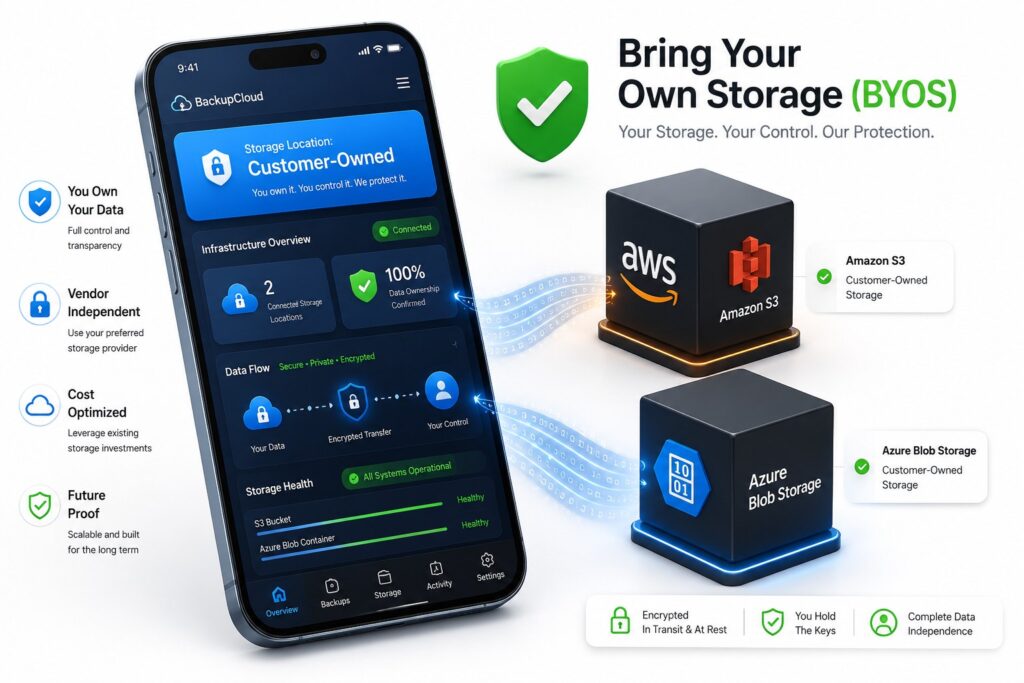
Companies that store backups in destinations they own, such as Amazon S3 or Azure Blob Storage, retain control over where their data lives regardless of future business decisions.
This approach, often referred to as Bring Your Own Storage (BYOS), separates the backup platform from the storage location. The backup provider manages the backup process, while the business maintains ownership of the backup data.
That distinction becomes valuable during migrations or disaster recovery scenarios.
5. Data Portability Is Part of Data Protection
Business environments are in constant change.
Businesses migrate to new platforms. They merge, expand, and adopt new technologies. Cloud providers introduce new services and pricing models.
A data protection strategy should be designed with those changes in mind.
Data portability gives businesses the flexibility to move information between environments without losing structure, permissions, or integrity.
Rather than becoming locked into a single ecosystem, businesses maintain the freedom to adapt as technology and business priorities evolve.
That’s why portability has become an important part of both cloud backup and long-term data protection strategies.
How Cloudsfer Fits Into the Strategy
Cloudsfer was built around the principles of data protection, not simply creating copies of data, but making those copies recoverable, portable, and independently stored.
Companies can automate backups across Egnyte, Autodesk, SharePoint, Google Drive, and 20+ supported platforms while storing backup data directly in customer-controlled destinations such as Amazon S3 and Azure Blob Storage.
Cloudsfer preserves folder structures, permissions, and metadata (where relevant), helping businesses recover data with the context teams rely on every day.
After the initial backup, only new or modified data is transferred through incremental backups, helping keep backup operations efficient as data volumes grow.
Questions Worth Asking Before Choosing Any Backup Solution
Before evaluating a cloud backup or SaaS backup solution, every company should ask:
- Can we fully recover our data?
- Will folder structures, permissions, and metadata (where relevant) be restored?
- Where does our backup data really live?
- Do we own the storage destination?
- Are backups automated, or do they depend on manual processes?
- How quickly can we recover after an incident?
- Has our recovery process ever been tested?
- Can our data move freely between environments if business needs change?
Five years ago, these questions may have been considered advanced.
Today, they’re simply the baseline for a modern data protection strategy.
Final Thoughts
A backup is where data protection starts. Businesses that recover successfully from ransomware, accidental deletion, or unexpected disruptions are the ones that asked the right questions before an incident forced the answers.
A data protection strategy combines reliable recovery, automation, data portability, customer-controlled storage, and the preservation of the business context that makes data usable.
📌 Request a free backup demo