TL;DR
Your data might be backed up, but can you recover it in times of crisis? In multi-cloud environments, true data protection depends on preserving structure, permissions, and portability. Read more…
The more companies move to the cloud, the harder it gets to keep data protected across every platform.
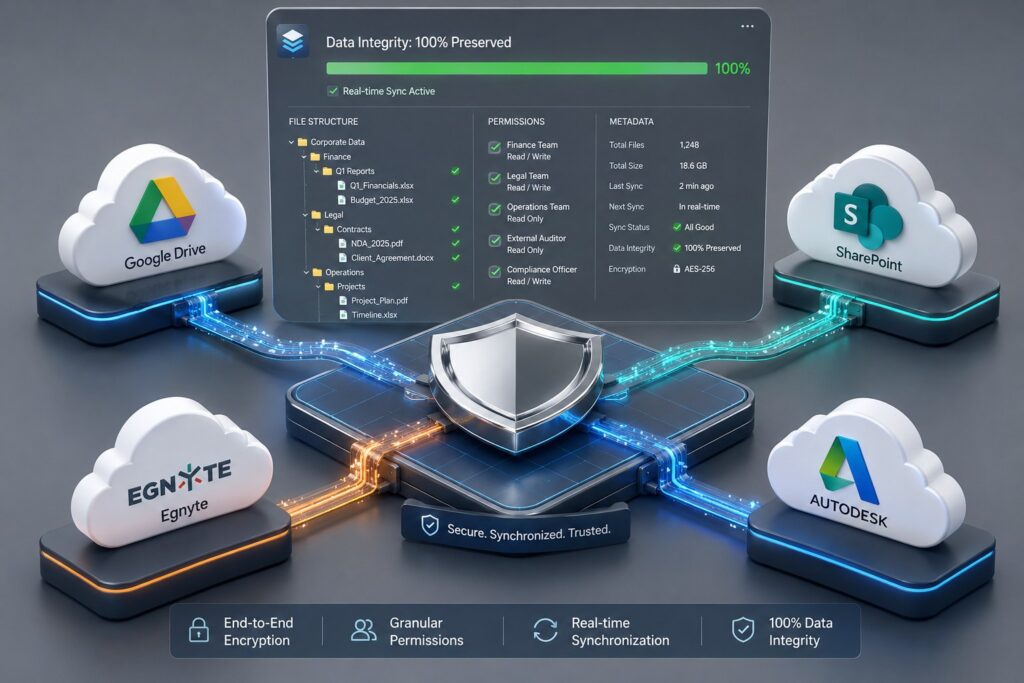
Here’s the fact: 89% of companies are now running in multi-cloud environments. That means data is spread across platforms like Egnyte, SharePoint, Google Drive, and Autodesk and each with its own structure, permissions, and recovery process.
And there’s an important distinction worth making: having your data stored somewhere is different from being able to recover it.
That’s what multi-cloud backup is built for. A strategy that keeps your data intact, recoverable fast, and portable across environments when you need it.
Why Storing Data ≠ Protecting It
When companies think about backup, the conversation usually starts with storage. Where will the data go? How much space is needed? How long will it be kept?
These are reasonable questions as they only address half the problem.
A backup is valuable because of what it lets you do in times of crisis. Accidental deletion, ransomware, data corruption, a failed migration – in any of these scenarios, the measure of a backup is how quickly and completely data can be restored and put back into use.
In multi-cloud environments, where data is spread across platforms like Egnyte, SharePoint, Google Drive, and Autodesk; that measure becomes harder to meet without a deliberate strategy in your plan.
What Should be Preserved
Business data comprises of files, documents that live within folder, structures that your teams have built over time, permissions that govern who can access what.
When a backup captures files but not the context around them, the result is a technically complete copy that’s often operationally incomplete. And recovering from that kind of backup means reconstructing access controls manually, rebuilding structures from memory.
Effective multi-cloud data protection preserves the full picture: the files, the structure they live in, the permissions attached to them, and the metadata that makes them usable. That’s what turns a backup into an recovery asset.
Recovery Speed Is the Point
The purpose of backup is recovery and recovery under pressure looks very different from recovery on paper.
Fast recovery depends on how that backup was structured, how independently it was stored, and how clearly the restore process is defined before anyone needs to use it.
companies that recover quickly tend to share the same few habits: automated backup schedules that keep copies current, destinations that are independent from the primary environment, and restore processes that their teams can execute under pressure without improvising.
That last part is easy to overlook during planning and expensive to figure out during an incident.
How companies Can Strengthen Data Protection Across Multiple Environments
companies looking to improve data protection across multiple cloud platforms should focus on the following:
- Preserve data integrity
Protect not only files, but also the structure, metadata, and permissions that make data usable after recovery. - Automate backup processes
Use scheduled backups to ensure data remains protected consistently without relying on manual intervention. - Store backups independently
Maintain backup copies outside of the source environment to reduce risk and improve recovery readiness. - Maintain data portability
Choose solutions that allow data to be recovered and moved across environments while preserving its integrity and context.
What Multi-Cloud Backup Should Deliver
The expectations for data protection are growing alongside cloud adoption. A strong multi-cloud backup strategy should deliver:
- Protection across all cloud platforms in use, not just the primary one
- Preservation of file structure, metadata(where relevant), and permissions
- Fast, reliable recovery that can be executed under pressure
- Flexibility to move data between environments as needed
- Long-term data integrity that holds up over time, not only at the point of backup
How Cloudsfer Supports This
Cloudsfer’s backup solution is built around the principle that companies should be able to protect their cloud data without losing control over where it goes or how it’s stored.
For companies running on Egnyte, Autodesk, SharePoint, Google Drive, and others, Cloudsfer supports cross-cloud backup with data integrity and portability built into the process.
Backups run automatically on a schedule you define. Data goes directly to a destination you own and control like Amazon S3, Azure Blob Storage.
After the initial backup, only new or modified data is transferred. This will keep your jobs efficient as volumes grow. What you back up is what you get back.
📌 Book a free backup demo
Final Thoughts
Companies need confidence that their data can be recovered quickly, restored with its structure intact, and moved between environments as business needs evolve. Storage is the starting point but recovery, integrity, and portability are what a backup strategy truly needs to deliver.