TL;DR
A backup alone doesn’t guarantee recovery after ransomware. This article explores why ransomware recovery fails, the hidden gaps in many cloud backup strategies, and the key capabilities businesses should look for to improve cyber resilience.
The hidden reason many cloud backups fail during ransomware recovery is that the recovery strategy was never built for the way ransomware behaves.
According to Sophos’ State of Ransomware 2025 report, only 54% of businesses used backups to recover their data after a ransomware attack, the lowest percentage reported in the last six years. Many companies found themselves paying the ransom, rebuilding systems manually, or discovering that their backup strategy wasn’t designed for the type of recovery they actually needed.
A flexible cloud backup strategy is about automated backup schedules, reliable restore capabilities, and backup data that’s protected independently of the production environment.
In this article, we’ll explore the hidden reasons cloud backups fail during ransomware recovery, the most common gaps businesses overlook, and what a strong backup strategy should include to strengthen data protection and improve recovery outcomes.
Why Do Cloud Backups Fail During Ransomware Recovery?
Nobody expects the backup to be the problem. But with ransomware, it sometimes is.
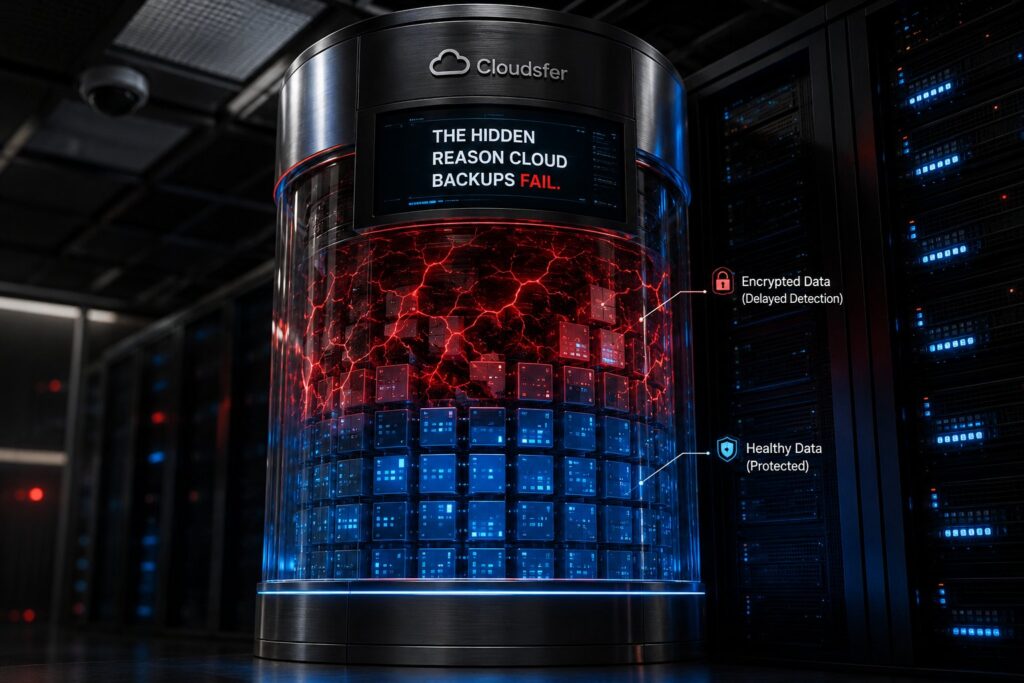
The backup did run, right on schedule. But ransomware is patient. It moves through systems slowly, encrypting files over days or sometimes weeks, while automated backups keep firing on schedule — capturing and storing compromised versions each time. By the time anyone notices something is wrong, the backup that was supposed to be the safety net has been replaced with the very thing the business is trying to recover from.
That’s what makes ransomware recovery different from any other data loss scenario. The backup ran. The schedule held. And yet recovery still fails because the backup was never designed to catch what ransomware was doing in the background.
What Are the Most Common Gaps in Cloud Backup Strategies?
Gap 1: Your Backup Lives Too Close to the Attack
When backup data sits inside the same platform or vendor infrastructure as the primary environment, it’s exposed to the same risks.
If ransomware hits an Egnyte or SharePoint environment and the backup data isn’t stored independently from the production environment, recovery options can become more limited when that environment is affected by ransomware or another major incident.
A backup that’s stored in a destination the business owns and controls — completely separate from where the primary data lives — is the only version that stays usable when the primary environment goes down.
Gap 2: Encrypted Files Get Backed Up Without Anyone Knowing
Most backup tools do one thing: run on a schedule and store whatever exists at that moment.
That’s fine under normal conditions. Under a ransomware attack, if encrypted files are backed up without being identified, businesses may find that their most recent recovery points contain compromised data. Recovering then becomes a matter of finding an earlier clean recovery point, if one is still available.
This is the gap most backup strategies never account for. Businesses should understand how their backup solution handles suspicious or ransomware-related files before they become part of future recovery points.
Gap 3: Backups Don’t Run Frequently Enough
Here’s a scenario that plays out more often than most companies expect.
Backups run weekly. Ransomware started encrypting files three days ago. By the time the attack is discovered, the most recent clean backup is from before the encryption began, meaning recovery is possible, but days of data are gone regardless.
Backup frequency is what determines how much data a business actually loses during a ransomware incident. The longer the gap between backup runs, the more ransomware has to work with.
Gap 4: The Recovery Process Has Never Actually Been Run
This is the gap that catches businesses most off guard because it’s invisible right up until the moment it matters.
Many companies know their backup exists. Fewer have actually restored from it. Under normal conditions, that’s fine. But when ransomware has hit, discovering that the restore process has untested steps or unexpected failures is a serious problem.
What Should a Cloud Backup Strategy Include?
1. Automated Scheduling That Keeps Restore Points Current
The more frequently backups run, the smaller the window ransomware has to operate undetected.
An automated backup schedule, like daily, weekly, or hourly for higher-sensitivity environments, is what keeps restore points current without anyone having to manage it manually. For ransomware recovery specifically, this matters because the gap between the last clean backup and the moment an attack triggers is often where the most data gets lost.
2. Storage That’s Genuinely Separate From the Primary Environment
If the attack can reach the backup, the backup can’t save you.
That’s the principle behind independent storage, keeping backup data in a destination that’s completely outside the primary environment. Not a different folder on the same platform. A separate, independently managed location that the business owns and controls. When the production environment is fully compromised, the backup stays accessible because it was never part of what got hit.
3. A Restore Process That’s Been Walked Through Before
Knowing a backup exists is not the same as knowing recovery works.
Walking through the restore process under normal conditions — with the right people, the right steps, and time to catch anything unexpected — is what makes recovery reliable when the pressure is real. The goal is to make recovery boring: a predictable, well-understood process that the team has done before and knows how to execute.
4. Incremental Backups That Keep Jobs Efficient
Running a full backup every time isn’t practical at scale. Incremental backups transfer only new or modified data after the initial backup, which keeps backup windows short, reducing bandwidth usage, and making it possible to run more frequent schedules without the overhead of a full backup every cycle.
5. Permissions and Metadata Preservation
A backup that captures files but drops the permissions and metadata around them isn’t fully usable on restore. Someone has to go through and reassign access controls, rebuild folder structures, and track down metadata that should have been there automatically. That’s extra work nobody planned for.
How Cloudsfer Helps Businesses Build a Stronger Backup Strategy
Cloudsfer’s backup solution is built to address the gaps that matter most for ransomware recovery.
- Harmful extension blocking. Cloudsfer checks files for known ransomware-related extensions during the backup process and blocks them before they reach the backup destination. Administrators can manage the list of monitored extensions, allowing protection to evolve alongside emerging ransomware threats.
- BYOS — Bring Your Own Storage. Backup data goes directly to a destination the business owns and controls, like Amazon S3, Azure Blob Storage, or another supported target. The backup lives separately from both the production environment and Cloudsfer’s own infrastructure.
- Automated scheduling. Cloudsfer’s Set & Forget feature runs backups on a schedule you define — daily, weekly, or hourly — without manual intervention. Once it’s set up, it runs.
- Incremental backups. After the initial backup, only new or modified data is transferred. Backup windows stay short, schedules can run more frequently, and restore points stay current without the overhead of full backups every time.
Summing Up
Ransomware moves slowly. It targets backup repositories. It waits long enough to make recovery complicated. A backup strategy that doesn’t account for those behaviors will hold up fine right up until the moment it needs to hold up most.
A backup strategy should be judged by how confidently your business can recover when everything else has failed.
Request a free backup demo and see how Cloudsfer helps businesses build a cloud backup strategy that holds up when ransomware hits.
Frequently Asked Questions
1. Why do cloud backups fail during ransomware recovery?
Usually because the backup captured encrypted files before anyone noticed the attack, the backup lived in the same compromised environment as the primary data, or the restore process had never been tested before it was needed.
2. What makes a backup strategy actually useful against ransomware?
Independent storage, detection of encrypted files before they overwrite clean copies, frequent automated schedules, and a restore process that’s been tested before an incident. All four together is what makes recovery reliable.
3. How often should backups run to limit ransomware damage?
Daily is the minimum for most environments. For businesses with high data sensitivity or fast-moving workflows, more frequent schedules reduce how much data falls inside the window ransomware has to operate.
4. What is ransomware detection at the backup layer?
It means identifying encrypted or compromised files during the backup process itself, before they get stored as the latest restore point. This is what prevents every available backup copy from ending up compromised.
5. What does BYOS mean and why does it matter for ransomware recovery?
BYOS stands for Bring Your Own Storage. It means backup data goes to storage the business owns and controls, completely separate from the production environment and the backup vendor’s own infrastructure. When ransomware hits the primary environment, the backup stays accessible because it was never part of what got compromised.