TL;DR
Most SaaS platforms protect application availability, not guaranteed data recovery. Independent SaaS backup gives businesses separate, recoverable copies of cloud data, helping ensure long-term retention and faster recovery when incidents happen.
For years, businesses moved to SaaS platforms with a simple expectation: the cloud would reduce risk. No servers to maintain, no infrastructure headaches. Everything would be available, synced, and protected by the provider.
But SaaS convenience created a new blind spot.
Most cloud applications are designed for availability, not for independent recovery. If a file is deleted, encrypted by ransomware, overwritten by an integration, or removed by an insider, recovery options are often limited by retention policies, sync behavior, or shared responsibility boundaries.
Organizations that experience prolonged data loss lasting ten days or more have a 93% chance of going bankrupt within the following year.
That’s why SaaS backup has become essential. In this blog, we’ll explore why SaaS applications still require independent backup, the most common causes of cloud data loss, and how businesses can build a more resilient SaaS backup and recovery strategy.
The Shared Responsibility Model
There’s a clause buried in almost every SaaS service agreement that most businesses never read. It says, in one form or another: we keep the platform running, you keep your data protected.
This is the Shared Responsibility Model. And it is the root of a very expensive misunderstanding.
Your SaaS provider, like Microsoft, Google, Salesforce, or Dropbox, is responsible for the infrastructure: uptime, server security, and application availability. What happens inside that application — the files your team creates, deletes, overwrites, or accidentally corrupts — that’s on you. Despite this, 41% of businesses still believe their SaaS vendor is responsible for protecting and recovering their data.
The problem is that they’re incredibly reliable, often running at 99.9% uptime. But as one important distinction makes clear, high availability is not the same as data protection.
That reality is forcing organizations to rethink cloud data protection. Gartner predicts that by 2028, 75% of enterprises will prioritize SaaS backup as a critical requirement, up from just 15% in 2024.
For instance, think of it like renting office space in a well-secured building. The landlord maintains the locks, the elevators, and the heating. But if someone walks in and shreds your documents, that’s not the landlord’s problem to fix. The building was running fine the whole time.
Why Native Backup Tools Aren’t Enough
While platforms like Microsoft 365, Salesforce, and Google Workspace provide valuable business capabilities, their default retention policies weren’t designed to address the complex data compliance requirements of today’s organizations.
The gaps are specific and worth knowing:
| SaaS Platform | Native protection includes | Main recovery gap | Why backup helps |
| Microsoft 365 | Recycle bin, version history, retention features | Limited long-term recovery after retention expires | Adds isolated recovery and longer retention |
| Google Workspace | File recovery, version history, and admin tools | Permanent deletions and expired recovery windows | Keeps separate recoverable copies |
| Salesforce | Recycle bin and export tools | Short retention and limited historical recovery | Protects critical CRM records |
| Dropbox / OneDrive | Sync, rollback, versioning | Synced deletion or corruption can spread | Prevents permanent synchronized loss |
| SaaS applications overall | Uptime and built-in security | Human error, ransomware, insider actions, and integration failures | Gives independent backup and recovery control |
That gap between what businesses think they can do and what they actually can do is where real damage happens.
As Warren Buffett famously put it: “Risk comes from not knowing what you’re doing.” Most businesses don’t know what their recovery capability actually looks like until the moment they need it.
What a Proper SaaS Backup Strategy Looks Like
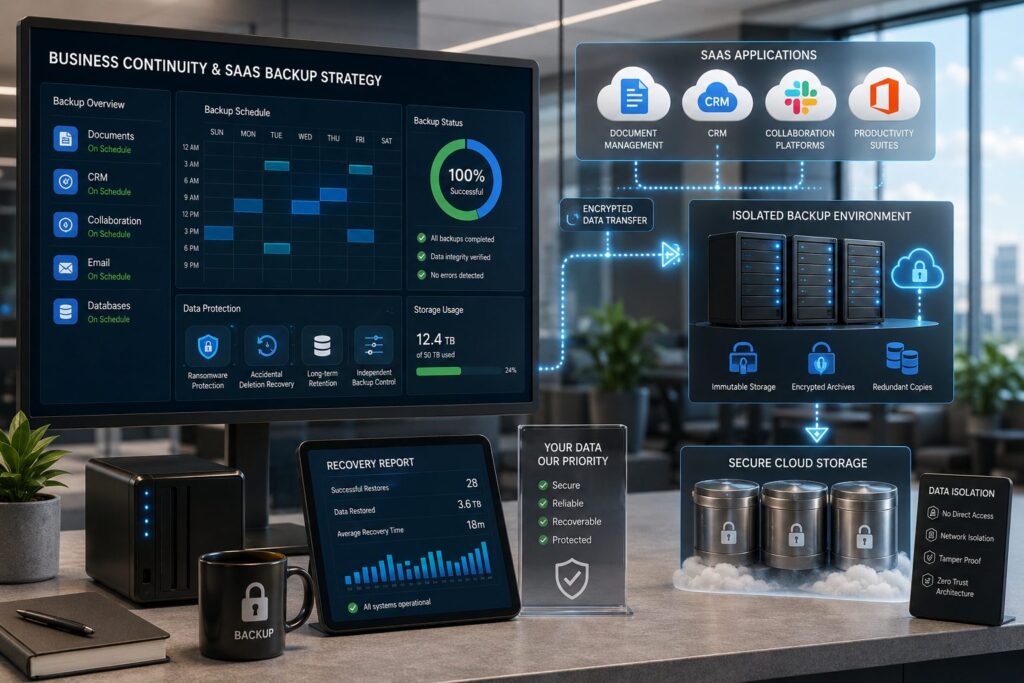
The goal of independent SaaS backup is straightforward: maintain a separate, controlled copy of your cloud data, outside your SaaS provider’s walls, on your own recovery terms.
Cloudsfer is built to do exactly that.
It backs up the platforms your business depends on. Cloudsfer offers dedicated backup for Autodesk Construction Cloud (BIM 360) and Egnyte; protecting the project files, documents, and critical data that live inside these platforms every day.
It runs automatically, without anyone having to remember. Once configured, Cloudsfer’s “Set & Forget” backup handles everything on a scheduled basis, like daily or weekly. New projects get picked up automatically.
Your data stays yours. Cloudsfer doesn’t store your data. It moves encrypted copies from your source system to your chosen destination, like Amazon S3 or Azure.
You always know what happened. Every backup generates a full report: what transferred, what was flagged, what couldn’t be moved.
Recovery is on your terms. Files can be restored directly from Cloudsfer’s platform or downloaded as a zip, without depending on your SaaS vendor’s retention window or recovery process.
📌 Request a free demo on Egnyte/Autodesk backup.
Summing Up
SaaS platforms keep your apps running. They were never designed to keep your data fully protected. That responsibility has always sat with you.
The businesses that recover fast aren’t lucky, but they were prepared. An independent backup layer, separate from your SaaS provider, is what makes recovery possible when something goes wrong.
If your business runs on Autodesk Construction Cloud or Egnyte, Cloudsfer gives you automated, encrypted, independent backup.
FAQs
1. Why is SaaS backup important?
It protects against deletion, ransomware, insider threats, and retention limitations.
2. Isn’t cloud data already protected?
Not fully. SaaS providers mainly focus on uptime and infrastructure availability.
3. What does Cloudsfer provide?
Cloudsfer offers automated, encrypted, independent SaaS backup and recovery.
4. Can deleted SaaS data always be recovered?
No. Recovery often depends on retention policies and recovery windows.
5. How does independent backup help?
It provides separate, recoverable copies outside the production environment.